Introduction
In modern manufacturing, speed and accuracy are two important factors that directly influence production efficiency. Industries such as automotive, electronics, electrical, engineering and metal fabrication require fast, clear and permanent product marking.
A laser marking machine helps manufacturers mark serial numbers, logos, QR codes, barcodes, product information and other identification details on different materials.
However, increasing marking speed without affecting marking quality can be challenging. Running a machine too fast may result in faded markings, incomplete engraving, inconsistent depth or poor readability. On the other hand, using unnecessarily slow settings can reduce production efficiency.
The key is to optimize machine parameters, select the right laser source and use suitable marking techniques.
In this blog, we will explore practical ways to increase laser marking speed while maintaining consistent marking quality.
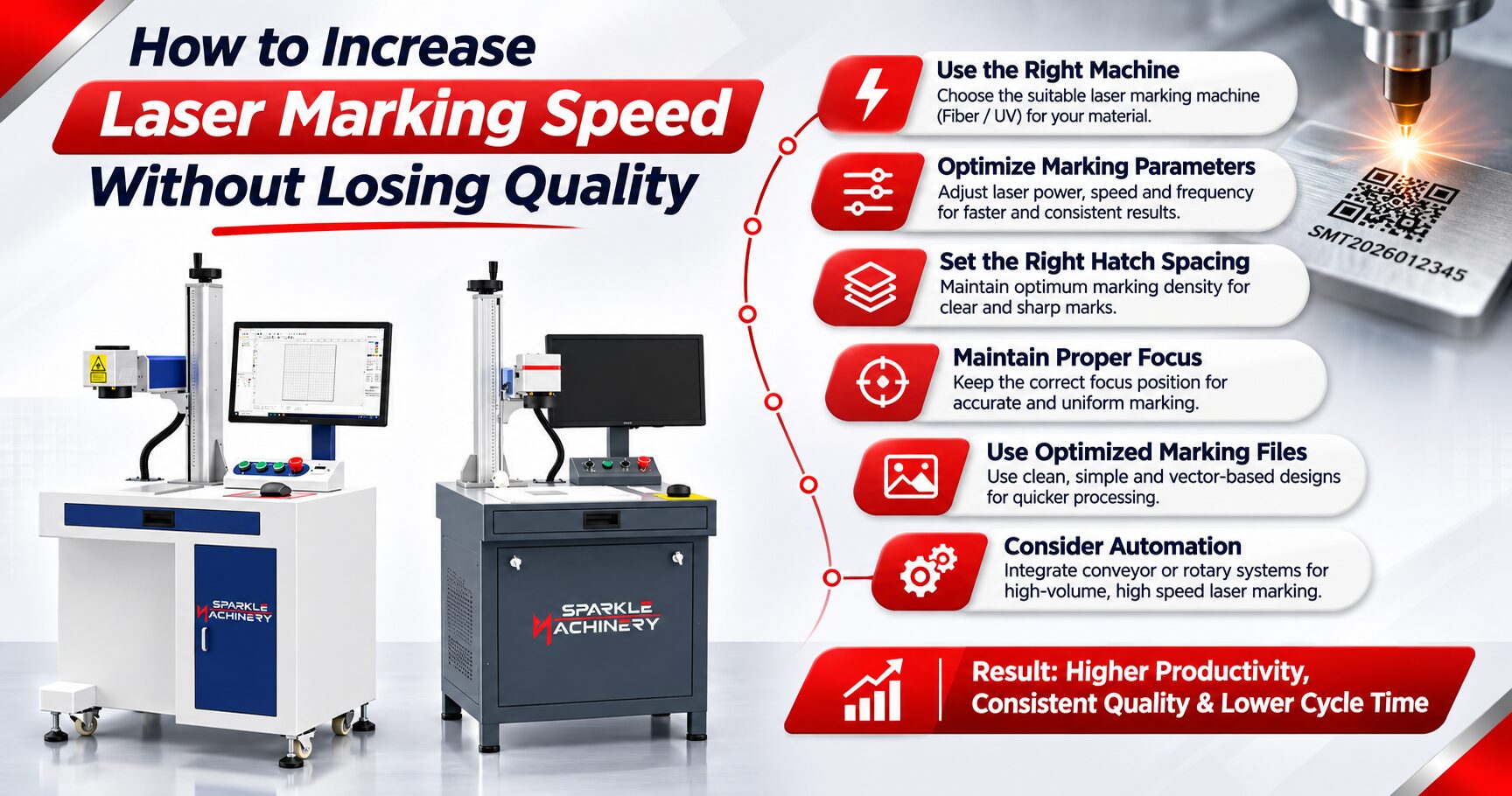
1. Choose the Right Laser Marking Machine for Your Application
Selecting the correct machine is the first step towards achieving high-speed laser marking.
Different materials and applications require different laser technologies. Using an unsuitable machine can increase processing time and affect marking quality.
Here are some commonly used laser marking machines:
Fiber Laser Marking Machine
A fiber laser marking machine is widely used for marking metals such as stainless steel, aluminium, brass, copper and certain other alloys. It is suitable for serial numbers, logos, QR codes, barcodes and industrial identification.
UV Laser Marking Machine
A UV laser marking machine is commonly used for precision marking on sensitive materials, certain plastics, glass and electronic components. Its shorter wavelength enables marking with reduced thermal impact in many applications.
Plastic Laser Marking Machine
Plastic marking requires careful selection of the laser source and parameters. Different plastic materials respond differently to laser wavelengths, so testing is important to achieve clear and consistent results.
Metal Laser Marking Machine
A metal laser marking machine is designed for industrial applications requiring permanent identification, traceability and product branding on metal surfaces.
Choosing the right laser technology helps improve marking efficiency and reduces unnecessary processing time.
2. Optimize Laser Power Settings
Laser power plays an important role in determining marking speed and quality.
If the power is too low, the marking may appear light or incomplete. If the power is too high, it may cause excessive heating, unwanted surface damage or inconsistent results.
To achieve better performance:
- Select power settings according to the material.
- Test different power levels before production.
- Avoid using maximum power for every application.
- Maintain consistent power throughout the marking process.
- Follow the recommended operating range of the laser source.
For high-speed laser marking, the objective is to achieve the required marking contrast or depth with the most efficient combination of power and other parameters.
3. Adjust Marking Speed and Frequency
Marking speed and frequency are important parameters in laser processing.
Marking Speed: Determines how quickly the laser moves across the material surface.
Frequency: Determines how frequently laser pulses are generated in a pulsed laser system.
Increasing marking speed can reduce processing time, but the result depends on the material, laser power, pulse characteristics and required marking quality.
Similarly, changing frequency can affect the appearance, depth and consistency of the marking.
Tips for optimization:
- Test different speed and frequency combinations.
- Check marking contrast at higher speeds.
- Avoid excessive speed increases without testing.
- Maintain consistent results across multiple samples.
- Save optimized parameter settings for repeat production.
The ideal combination depends on the application and material.
4. Optimize Hatch Spacing and Marking Density
Hatch spacing refers to the distance between adjacent laser marking lines when filling an area.
Incorrect hatch spacing can increase processing time or reduce marking quality.
If the spacing is too close, the laser may make unnecessary passes, increasing marking time and heat accumulation.
If the spacing is too wide, the marking may appear uneven or incomplete.
How to Optimize Hatch Spacing:
- Use suitable hatch spacing according to the material.
- Avoid unnecessary overlapping.
- Test different line intervals.
- Select the appropriate hatch pattern.
- Maintain uniform marking across the design.
Optimized hatch settings can improve productivity, particularly when marking large logos, filled graphics and product identification areas.
5. Use High-Quality Artwork and Optimized Marking Files
The quality and structure of the marking design can also influence processing time.
Complex designs containing unnecessary lines, overlapping objects or excessive details may increase marking time.
For faster processing:
- Use clean vector artwork wherever possible.
- Remove duplicate or overlapping lines.
- Simplify unnecessary design elements.
- Optimize text and logo layouts.
- Use suitable barcode and QR code dimensions.
- Avoid unnecessary filled areas.
A well-prepared design helps the industrial laser marking system process the job more efficiently.
6. Maintain Correct Focus Position
Correct focus positioning is essential for achieving accurate and consistent marking.
When the laser is not properly focused, the marking may become blurred, uneven or inconsistent. Operators may try to compensate by changing other parameters, which can increase processing time.
How to Maintain Proper Focus:
- Set the correct working distance.
- Use the machine’s focusing method or focus indicator.
- Ensure the material is positioned correctly.
- Check focus when changing material thickness.
- Maintain consistent fixture positioning.
Correct focusing helps achieve sharp markings and reduces the need for repeated processing.
7. Use the Right Lens and Marking Area
The field lens determines the marking area and influences the focused spot size and processing characteristics.
A suitable lens selection helps balance marking area, resolution and production speed.
For example, a smaller marking area may be preferred for detailed marking, while a larger field lens may be useful for marking bigger components.
Important considerations:
- Select a lens according to the required marking area.
- Consider the required level of detail.
- Maintain proper focus across the working field.
- Use suitable lens specifications for the application.
The right lens configuration helps improve marking consistency and overall machine performance.
8. Use Automation for High-Volume Production
For manufacturers handling large production volumes, automation can significantly reduce overall marking cycle time.
An automated industrial laser marking system can integrate with production lines and reduce manual handling between marking operations.
Common automation options include:
- Conveyor-based laser marking systems.
- Rotary fixture marking.
- Automatic loading and unloading.
- Vision-based positioning.
- PLC-based machine integration.
- Fly marking on moving production lines.
A barcode laser marking machine integrated into an automated production line can help manufacturers mark product identification codes with consistent positioning and repeatability.
Automation is particularly useful in automotive, electronics, electrical and component manufacturing industries.
9. Select the Right Machine Configuration
Different machine configurations are suitable for different production requirements.
Table Top Laser Marking Machine
A table top laser marking machine is suitable for small and medium-sized components, regular production jobs and applications requiring a dedicated workstation.
Desktop Laser Marking Machine
A desktop laser marking machine offers a compact solution for workshops, laboratories and businesses with limited working space.
Portable Laser Marking Machine
A portable laser marking machine is useful for marking larger components that are difficult to move to a fixed workstation.
Handheld Laser Marking Machine
A handheld laser marking machine is designed for applications where manual positioning or access to large or irregular components is required. The exact configuration and marking capability depend on the machine model.
Selecting the correct configuration can reduce material handling time and improve production workflow.
10. Perform Regular Machine Maintenance
Machine maintenance is essential for maintaining marking speed and output quality.
Dust accumulation, contaminated optical components, poor cooling and electrical issues can affect machine performance.
Recommended Maintenance Practices:
- Clean optical components using approved procedures.
- Inspect protective lenses regularly.
- Maintain proper ventilation.
- Check electrical connections.
- Ensure suitable cooling conditions.
- Inspect fixtures and material positioning systems.
- Follow the manufacturer’s maintenance schedule.
Regular maintenance helps maintain consistent marking performance and reduces unexpected downtime.
Which Laser Marking Machine Is Best for High-Speed Marking?
The best laser marking machine depends on the material, marking requirements, production volume and application.
| Machine Type | Common Applications |
| Fiber Laser Marking Machine | Metal components, serial numbers, logos and barcodes |
| UV Laser Marking Machine | Precision marking on suitable plastics and sensitive materials |
| 5W UV Laser Marking Machine | Fine marking applications where lower UV power is suitable |
| 10W UV Laser Marking Machine | Applications requiring higher UV processing capability |
| Table Top Laser Marking Machine | Regular workstation-based production |
| Desktop Laser Marking Machine | Compact marking applications |
| Portable Laser Marking Machine | Large or difficult-to-move components |
The correct choice should be based on sample testing and the required marking result rather than laser power alone.
Factors Affecting Laser Marking Machine Price in India
When searching for a laser marking machine price in India, buyers should consider more than just the initial machine cost.
The price of a laser marking system can vary depending on:
- Laser source type and power.
- Required marking area.
- Scanner and lens configuration.
- Machine enclosure and safety features.
- Software and control system.
- Automation requirements.
- Material compatibility.
- Installation, training and after-sales support.
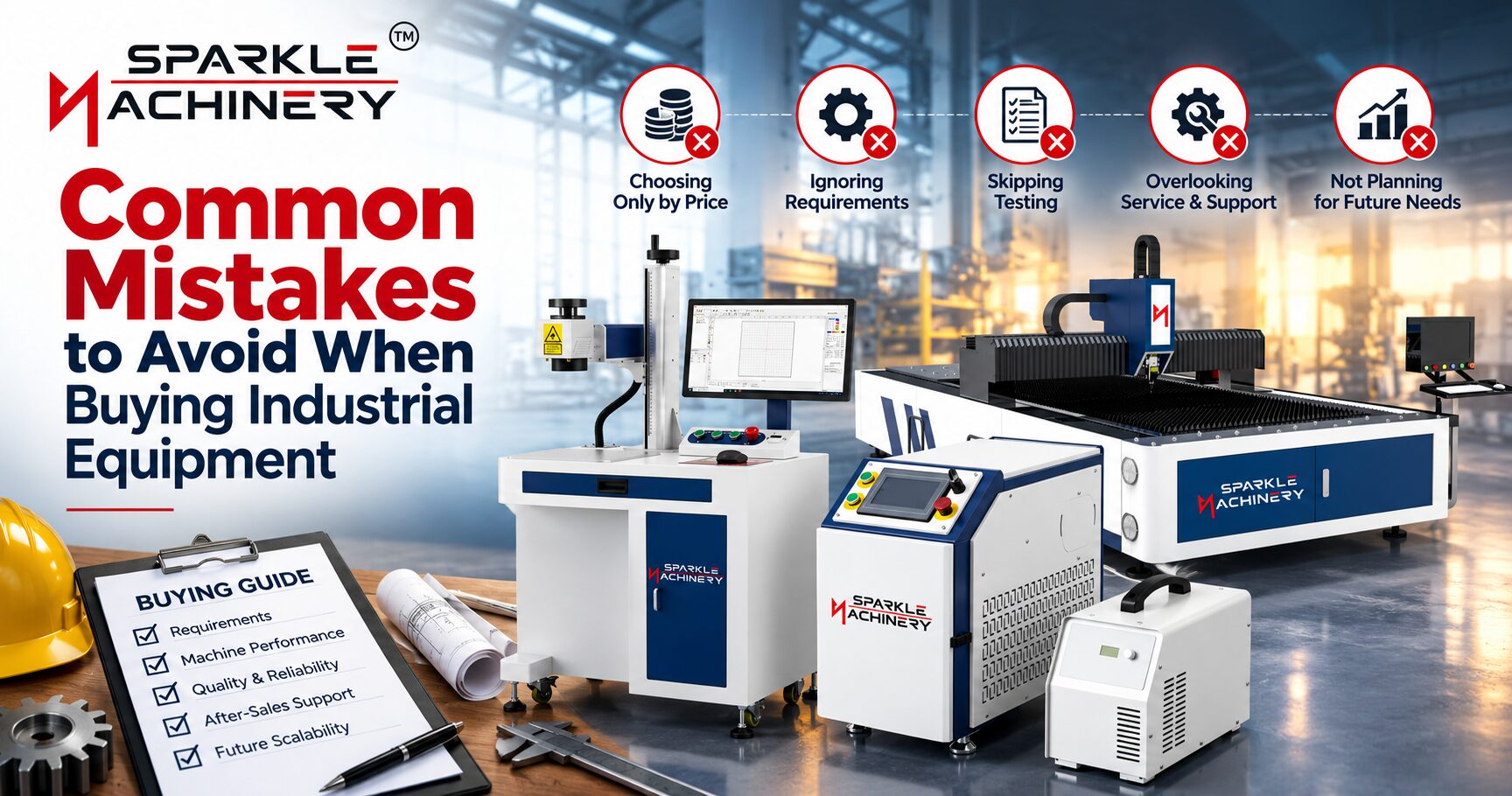
For businesses looking for a permanent laser marking solution, selecting a machine based on application requirements can provide better long-term value.
Before purchasing, request sample marking on your actual material to evaluate marking speed, readability and quality.
Applications of High-Speed Laser Marking
High-speed laser marking is useful across several manufacturing industries.
Automotive Industry: Marking serial numbers, engine components, QR codes and traceability information.
Electronics Industry: Marking product identification, component codes and technical information.
Electrical Industry: Marking switches, connectors, electrical panels and industrial components.
Metal Fabrication: Marking logos, specifications and identification details on metal parts.
Medical and Engineering Components: Marking product information and identification codes where material and regulatory requirements permit.
A suitable laser engraving marking machine can support faster and more consistent product identification across these applications.
Conclusion
Increasing laser marking speed without losing quality requires the right combination of laser technology, power settings, marking speed, frequency, hatch spacing, focus position and machine configuration.
Manufacturers should avoid increasing speed without testing the final marking result. Instead, they should optimize parameters according to the material, design and production requirements.
Whether you need a fiber laser marking machine for metal components, a UV laser marking machine for precision applications or an automated industrial laser marking system for high-volume production, choosing the right solution is essential.
SM Laser Technology offers advanced laser marking solutions for different industrial applications, including fiber laser marking machines, UV laser marking machines, desktop laser marking machines and customized marking systems.
Looking for a suitable laser marking machine for your production requirements?
Visit www.sparklemachinery.com or contact SM Laser Technology to discuss your application and book a machine demonstration.
Frequently Asked Questions (FAQs)
1. How can I increase laser marking speed without losing quality?
You can improve laser marking speed by optimizing power, frequency, marking speed, hatch spacing, focus position and artwork design. Always test the settings on the actual material before production.
2. Which laser marking machine is best for high-speed metal marking?
A fiber laser marking machine is commonly used for high-speed metal marking applications. The ideal configuration depends on the metal type, marking depth, contrast and production requirements.
3. Does increasing laser power increase marking speed?
Higher laser power can improve processing speed in certain applications, but it does not guarantee better results. Material properties, pulse settings, scan speed and required marking quality also matter.
4. What is the difference between a fiber laser and a UV laser marking machine?
Fiber lasers are widely used for metal marking, while UV lasers are commonly selected for precision marking on suitable plastics and heat-sensitive materials. The right choice depends on the material and desired marking result.
5. Is a UV laser marking machine suitable for plastic marking?
Yes. UV laser marking machines are suitable for many plastic marking applications. However, results depend on the plastic composition, colour, additives and required marking appearance.
6. What factors affect laser marking machine price in India?
The price depends on laser source, power, marking area, lens, enclosure, software, automation and customization requirements.
7. Can a barcode laser marking machine mark QR codes and serial numbers?
Yes. A suitable laser marking system can mark barcodes, QR codes, serial numbers and other identification information on compatible materials.
8. How often should a laser marking machine be maintained?
Maintenance frequency depends on operating hours, working environment and machine configuration. Regular cleaning, inspection and scheduled servicing are recommended according to the manufacturer’s guidelines.